
PayPack LogsUpdated 5 days ago
This guide is designed to help you understand how PayPack Logs function, which is essential for enabling PayPack's powerful features across your custom integration workflows. If your organization uses third-party platforms like Magento, BigCommerce, Salesforce, or NuOrder—which operate outside of NetSuite—and you process transactions through Stripe, you can still leverage PayPack's full potential.
By creating PayPack Logs within your custom workflow, you can ensure that transactions originating from these external platforms fully utilize PayPack's capabilities for:
Authorize/Capture: Seamlessly manage authorization and capture of funds.
Refund Capabilities: Efficiently process refunds.
Payout Reconciliation: Accurately reconcile Stripe payouts directly within NetSuite.
This article will walk you through the necessary steps to integrate PayPack Logs into your system, ensuring accurate and compliant financial data across your entire commerce ecosystem.
How it Works
To ensure PayPack's features—such as integrated reconciliation and advanced refund capabilities—function correctly, it's crucial to understand the exact sequence of records created when processing payments within NetSuite. These records form the foundation for all subsequent PayPack workflows.
NetSuite Sales Order
When a successful payment is taken against a NetSuite Sales Order, the following sequence of events occurs:
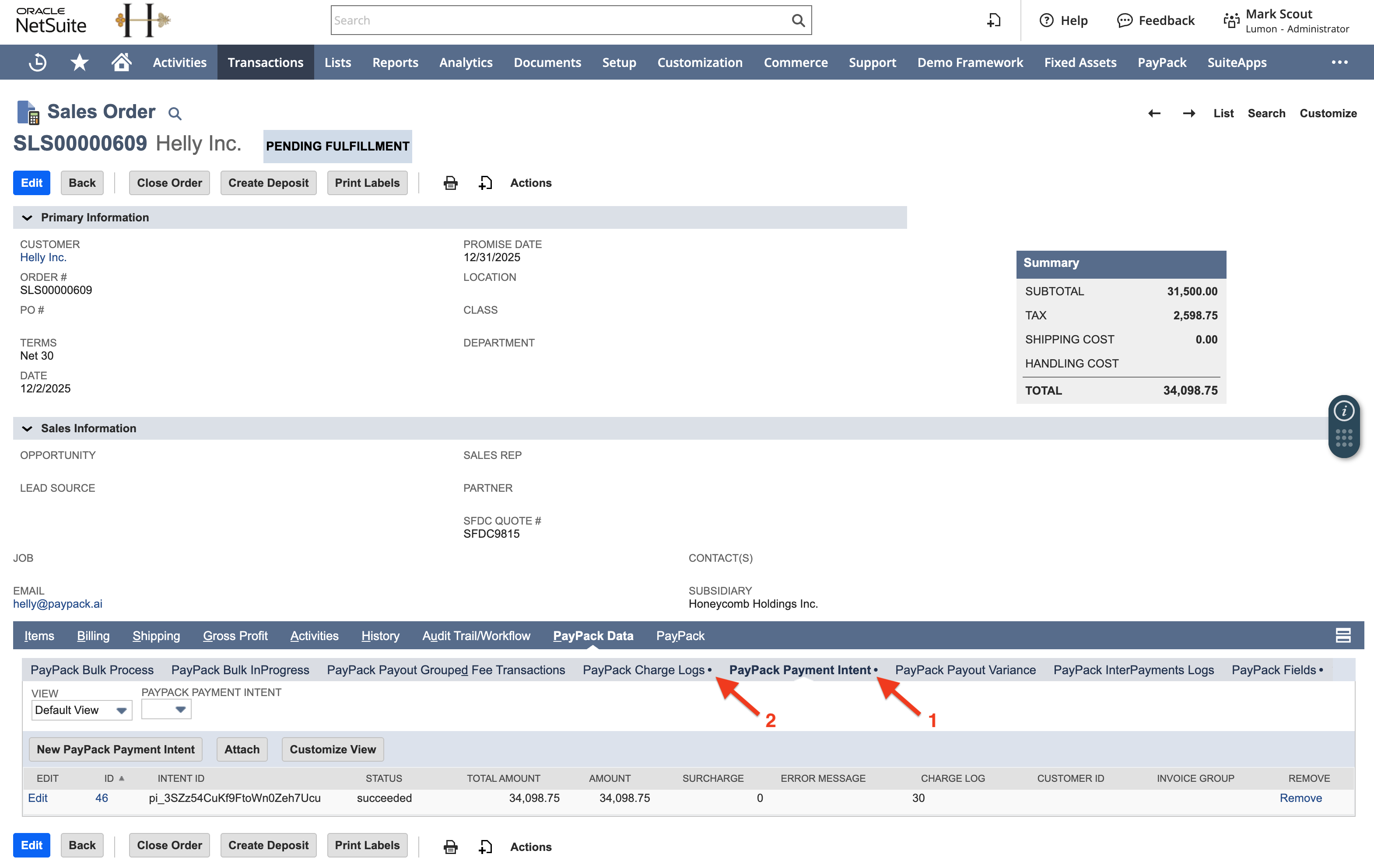
PayPack Payment Intent (Custom Record): This record is the initial step and logs the attempt to process the payment.
In the event that a payment has successfully processed in a 3rd party system (outside of NetSuite), the below screenshot references the necessary fields to be populated.
Note: When status is succeeded, it means the payment has been captured in the 3rd party system. If you only authorized the payment, status should be requires_capture.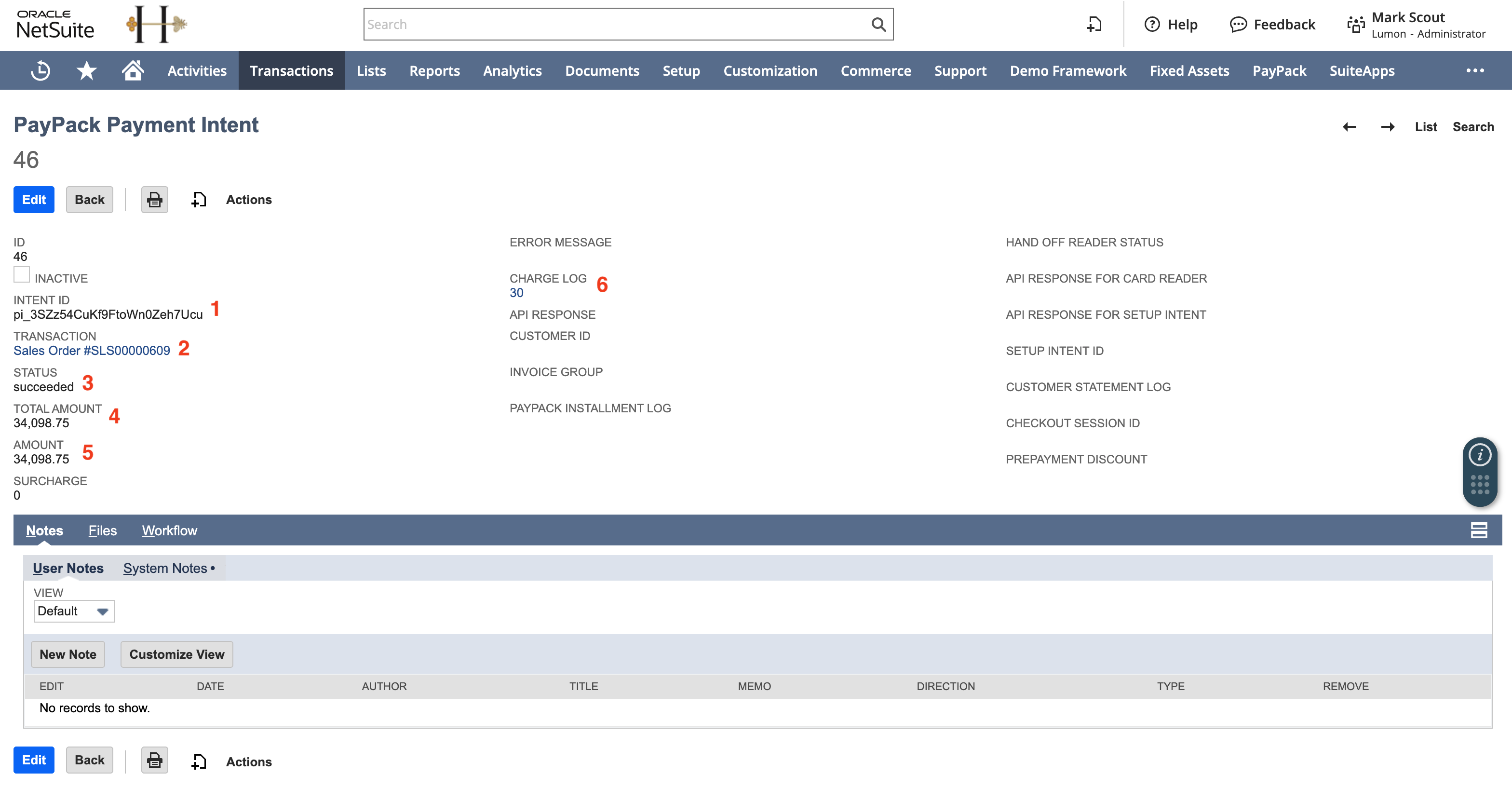
PayPack Charge Logs (Custom Record): Upon the successful creation of the Payment Intent Log and payment has been successfully captured, PayPack automatically creates a successful PayPack Charge Log when processing payments in NetSuite.
For 3rd party integrations, you will need to also create this log and link to the corresponding PayPack Payment Intent.
Similar to the PayPack Payment Intent, the screenshot below references the necessary fields to be populated.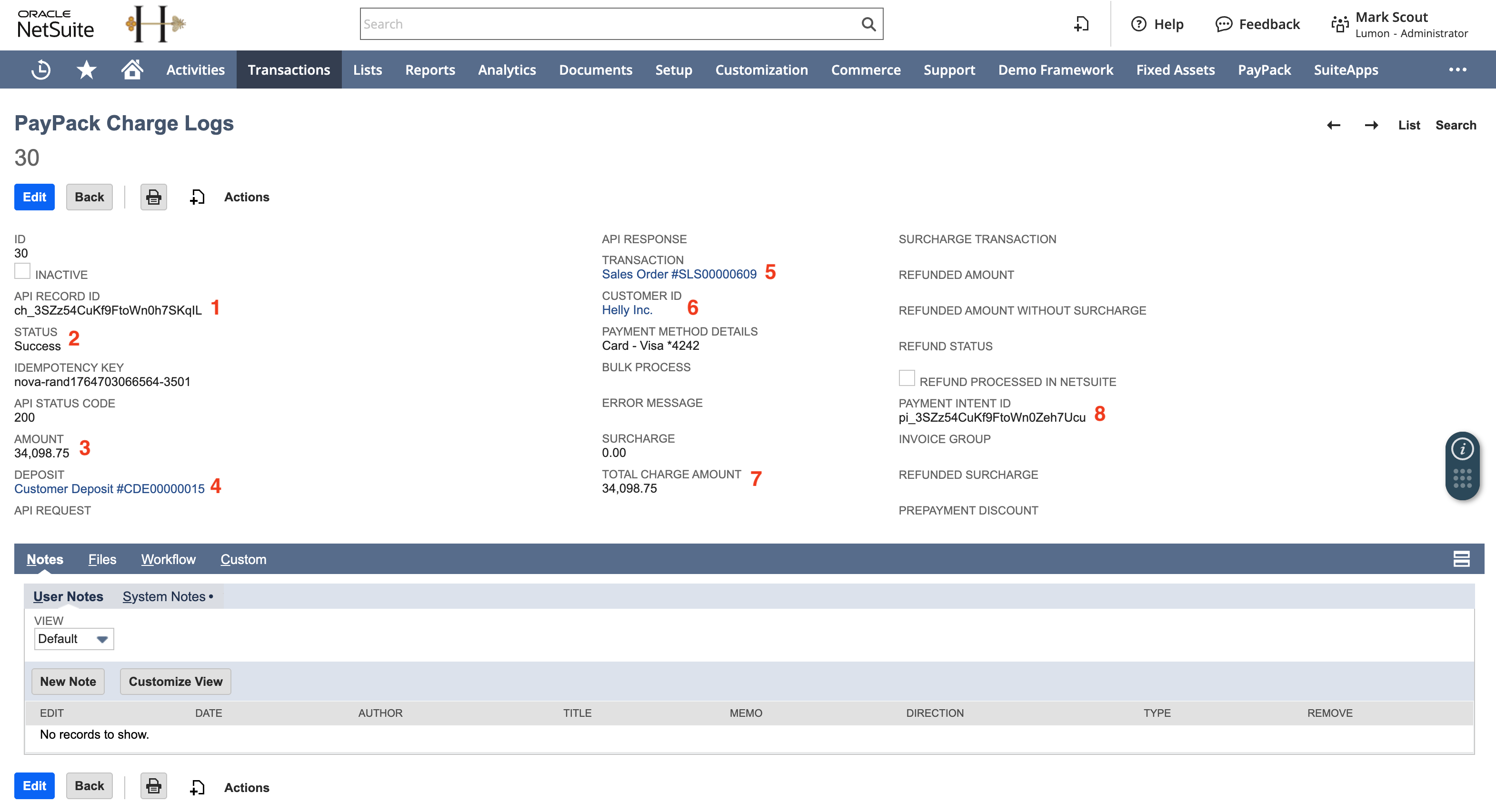
NetSuite Customer Deposit: The successful PayPack Charge Log automatically triggers the creation of the NetSuite Customer Deposit record. This record is essential as it includes the Stripe Charge ID - stored in a custom field named Stripe Charge ID (PAYPACK).
For 3rd party integrations, you will also need to create the Customer Deposit in your custom workflow. This can be done through an integration platform, custom NetSuite SuiteScript, or NetSuite Workflow.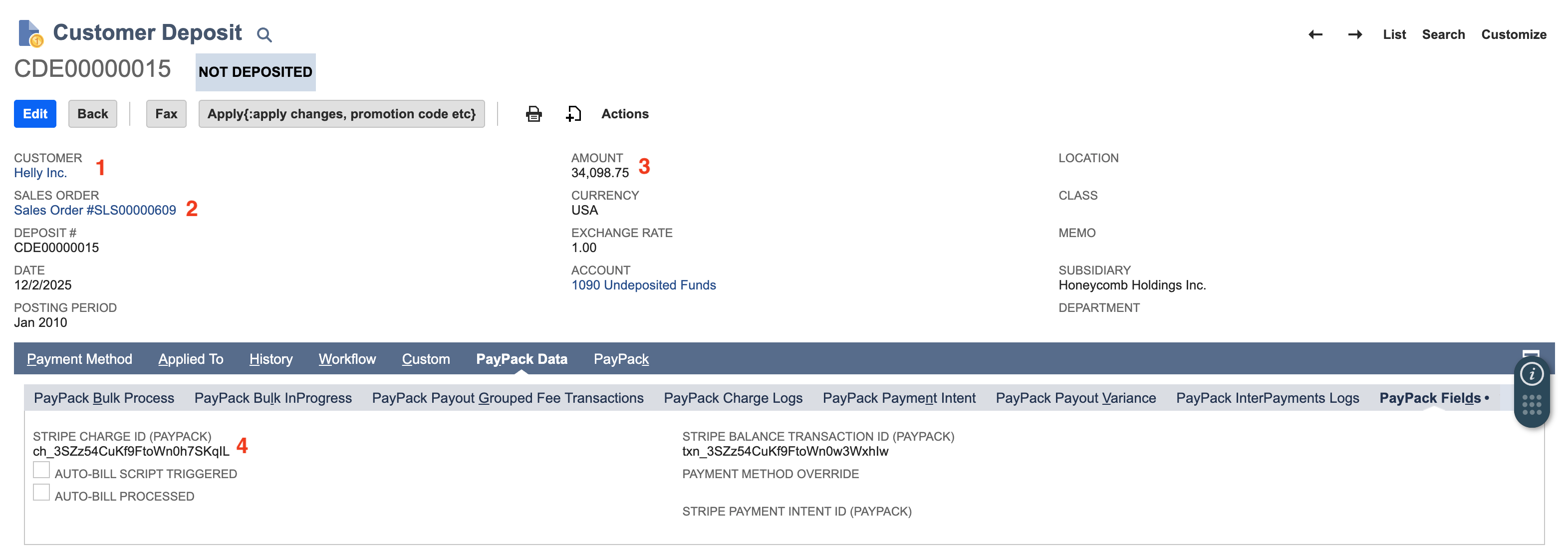
NetSuite Invoice
When a successful payment is applied directly to a NetSuite Invoice, the sequence is slightly different in the final step:
PayPack Payment Intent (Custom Record): Logs the initial payment attempt and should include the necessary field data referenced above for the Sales Order workflow.
PayPack Charge Logs (Custom Record): Created upon the successful PayPack Payment Intent with succeeded status.
NetSuite Customer Payment: Created upon the successful PayPack Charge Logs with Success status. This record includes the Stripe Charge ID in a custom field for tracking and reconciliation.
Why These Records Are Necessary
All the records mentioned (PayPack Payment Intent, PayPack Charge Logs, and the final NetSuite financial record) are critical for enabling PayPack's advanced functionality, especially when integrating with external systems. They ensure the necessary financial data and links are available for workflows.
See our Payment and Refund API flows for additional insights into the technical architecture.