Micro-deposits are a secure method used to verify that you are the authorized owner of the bank account you are linking.
If you choose to link your bank account manually instead of using instant online verification, Stripe will send 1–2 small test deposits (e.g. $0.50, $0.87) to your bank account.
How it works for customers:
Wait for deposits: The test deposits typically appear in your bank account within 1 to 3 business days.
Check the statement: Log into your bank account to find the exact amounts deposited.
Confirm with Stripe: Return to Stripe and enter the exact deposit amounts to complete your account setup.
Once confirmed, your bank account will be fully verified and ready to handle secure payments or payouts!
Setting
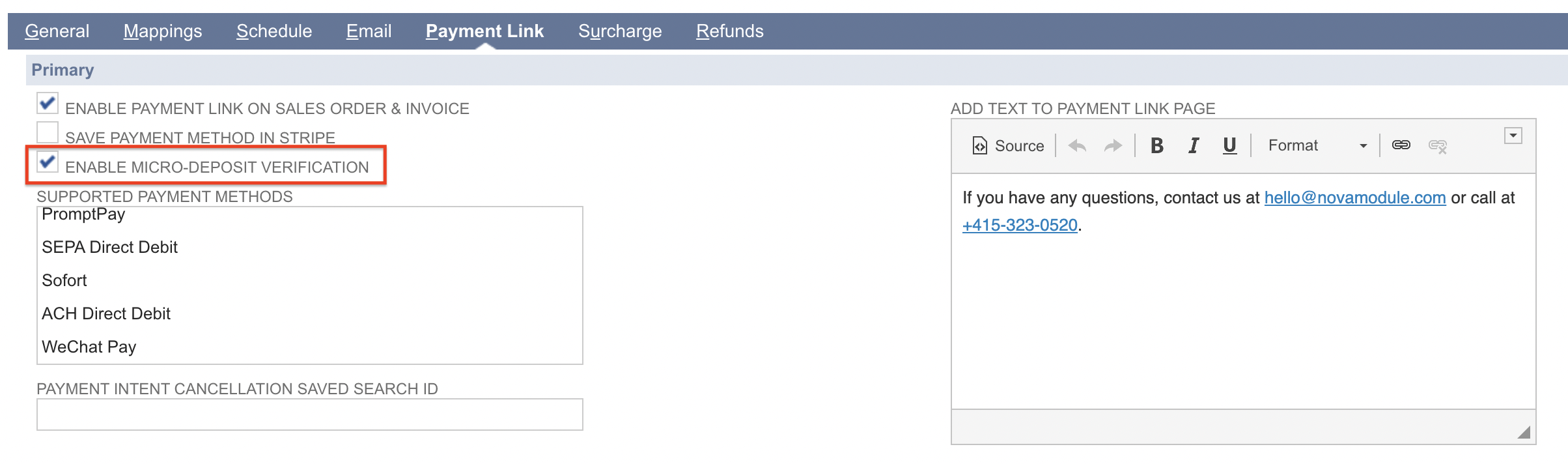
Enable the feature by selecting the checkbox for Enable Micro-Deposit Verification.
Customer Experience
When Micro-Deposit Verification is enabled, the customer will see a notice and clickable link above the Pay button. The link is typically labeled as Enter bank details manually (may take 1-2 business days).
Once the payment link is processed, the customer will receive an email directly from Stripe to verify the micro-deposits that show in their bank statement.
When the customer completes the micro-deposit verification, PayPack will automatically update the PayPack Payment Intent record in NetSuite and create the appropriate transactions.