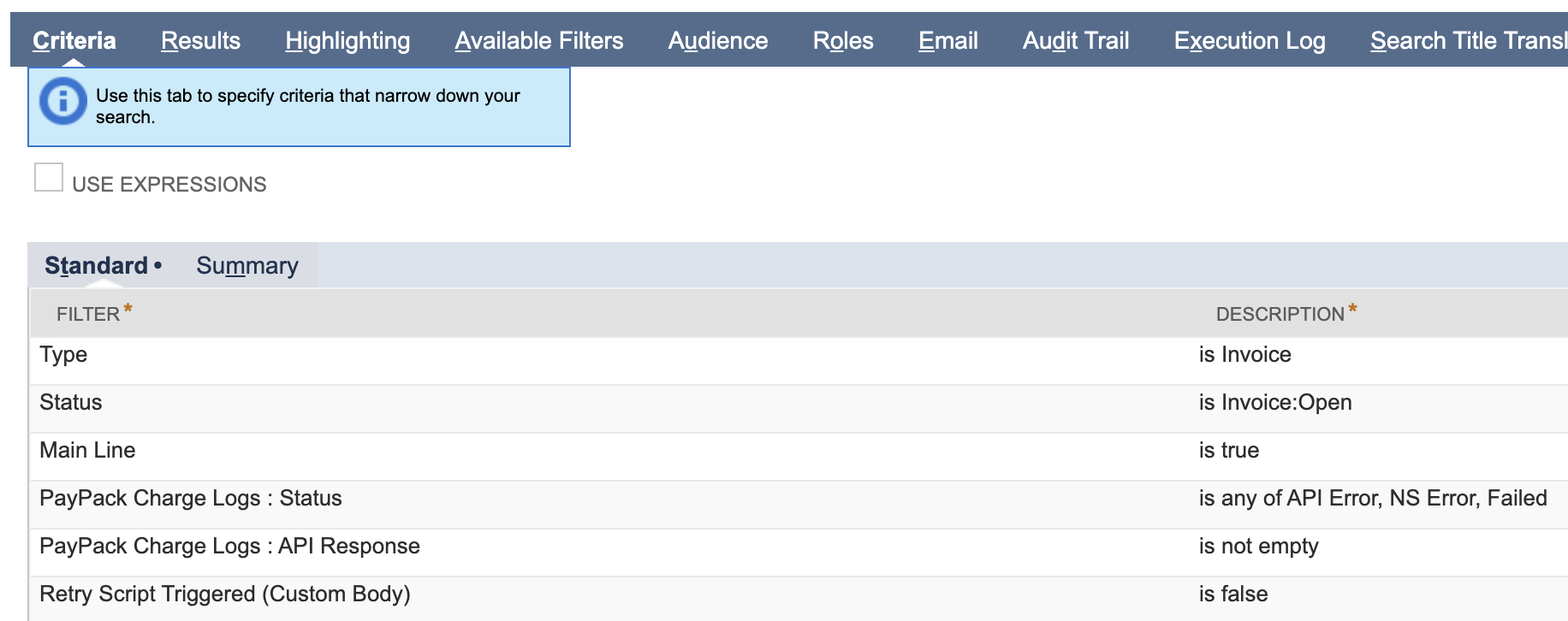
PayPack allows users to easily reprocess all failed invoice charges in Stripe. This feature, configured within PayPack in NetSuite, enables automatic re-initiation of charges in Stripe through a scheduled Map/Reduce script.
If a surcharge is configured in your PayPack settings for the specific Stripe account, the system will automatically generate a surcharge invoice and apply it to the relevant invoice record. The Stripe charge ID will also be populated on the invoice record. This automation significantly reduces the manual effort previously required to create charges from invoice records.
To use this feature, select the saved search on the PayPack configuration page under the Schedule tab.
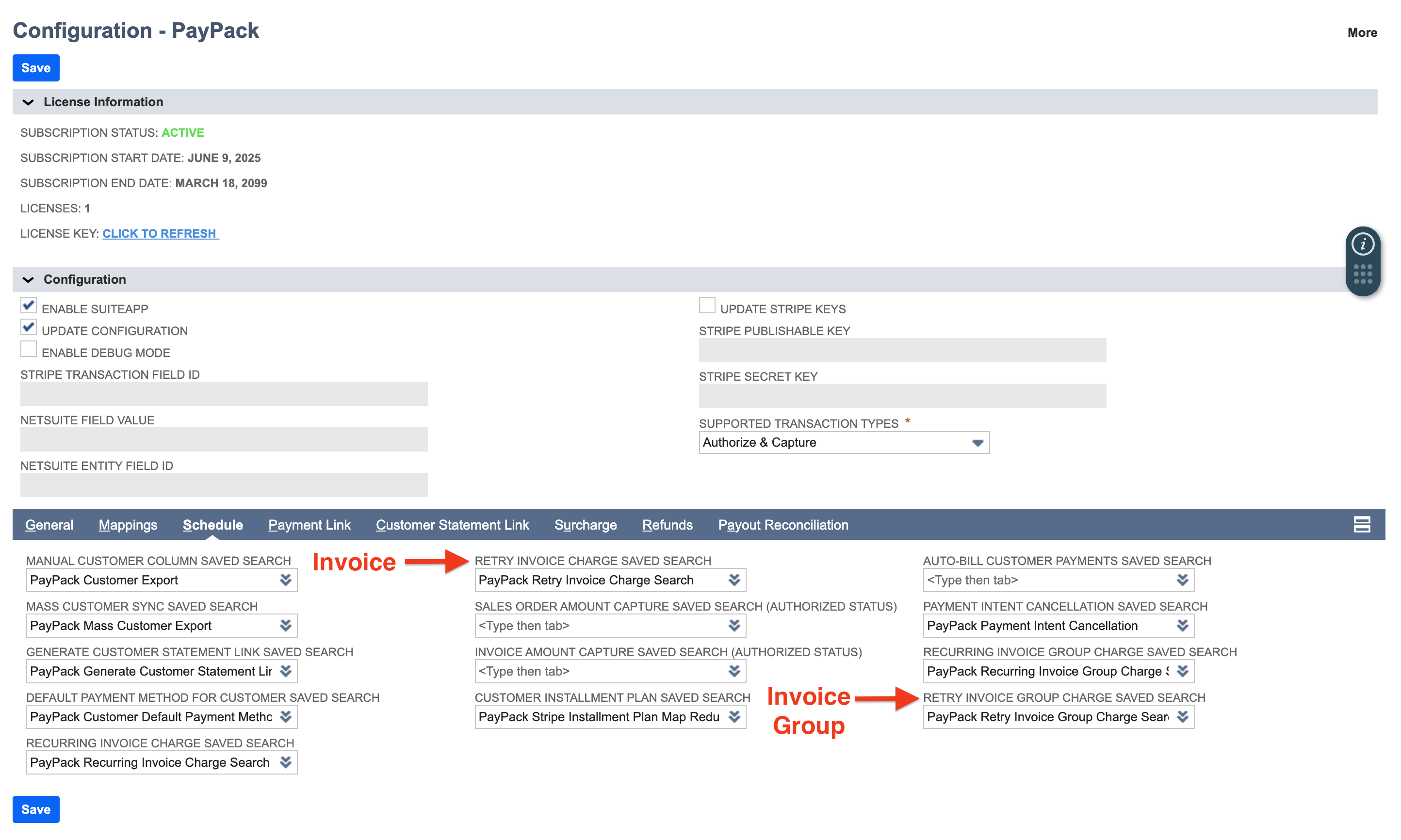
- Create a saved search: The PayPack bundle will include a saved search template which you can make a copy and use.
- Saved Search Templates
- Single Currency: PayPack Retry Invoice Charge Search or PayPack Retry Invoice Group Charge Search
- Multi Currency: PayPack Retry Invoice Charge Search Multi Currency
Note: Do not modify the label names in the columns tab as it is used to process recurring invoices.
Result Columns
Columns
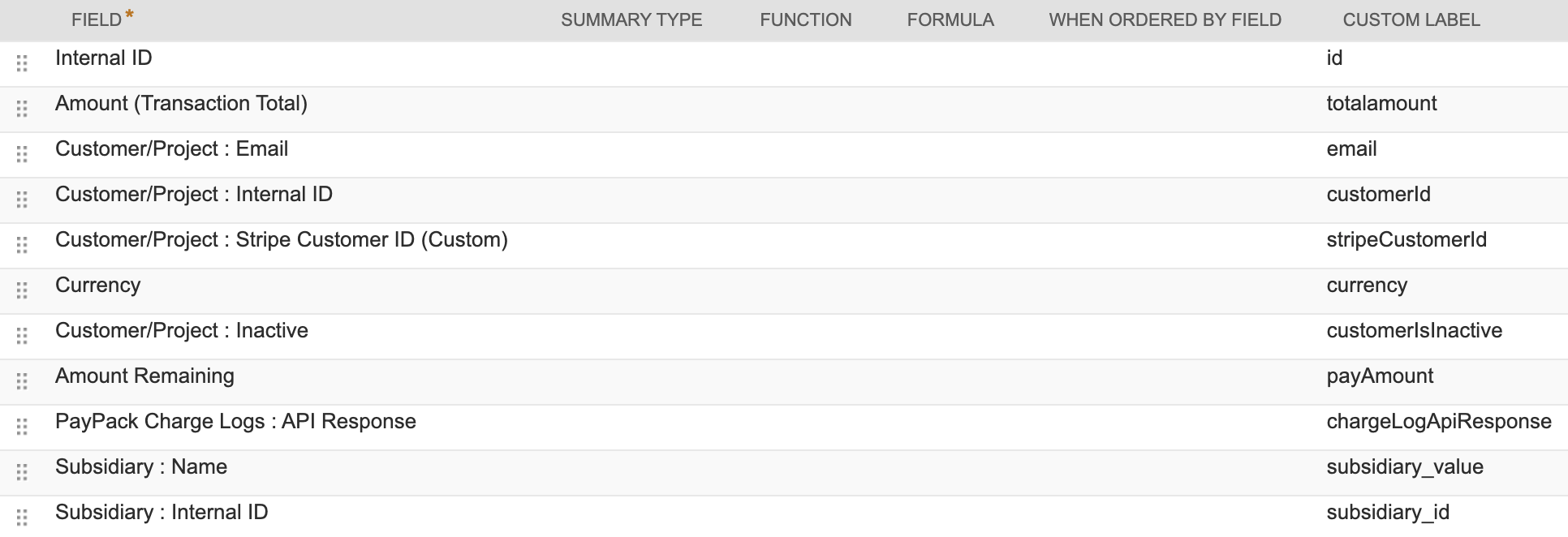
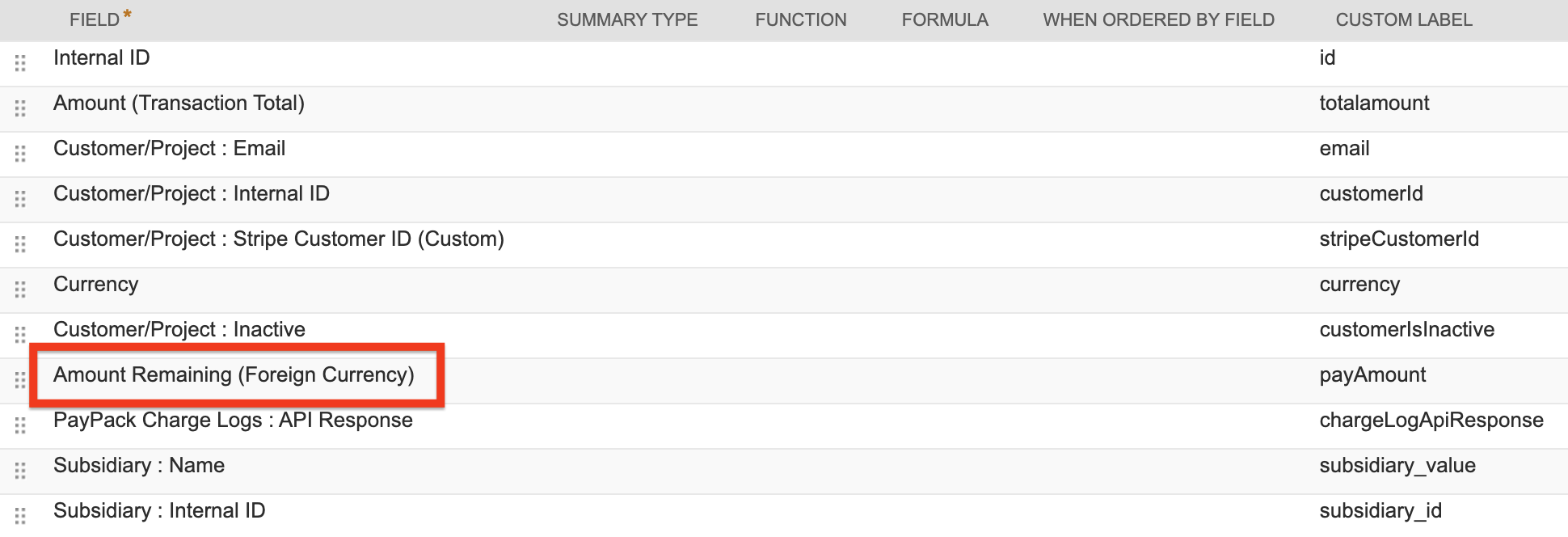
For multi currency, the payAmount custom label will use field Amount Remaining (Foreign Currency).
Search Criteria