Configure Script Deployment
Next, you will need to schedule a script to process invoices from the configured saved search.
- Go to Customization → Scripting → Script Deployments.
- Click on filters on the Deployments page.
- Select Map/Reduce in the Type drop-down and find customdeploy_pp_retry_invoice_chg_deploy (invoices) or customscript_pp_retry_failed_invgrp_chg (invoice groups).
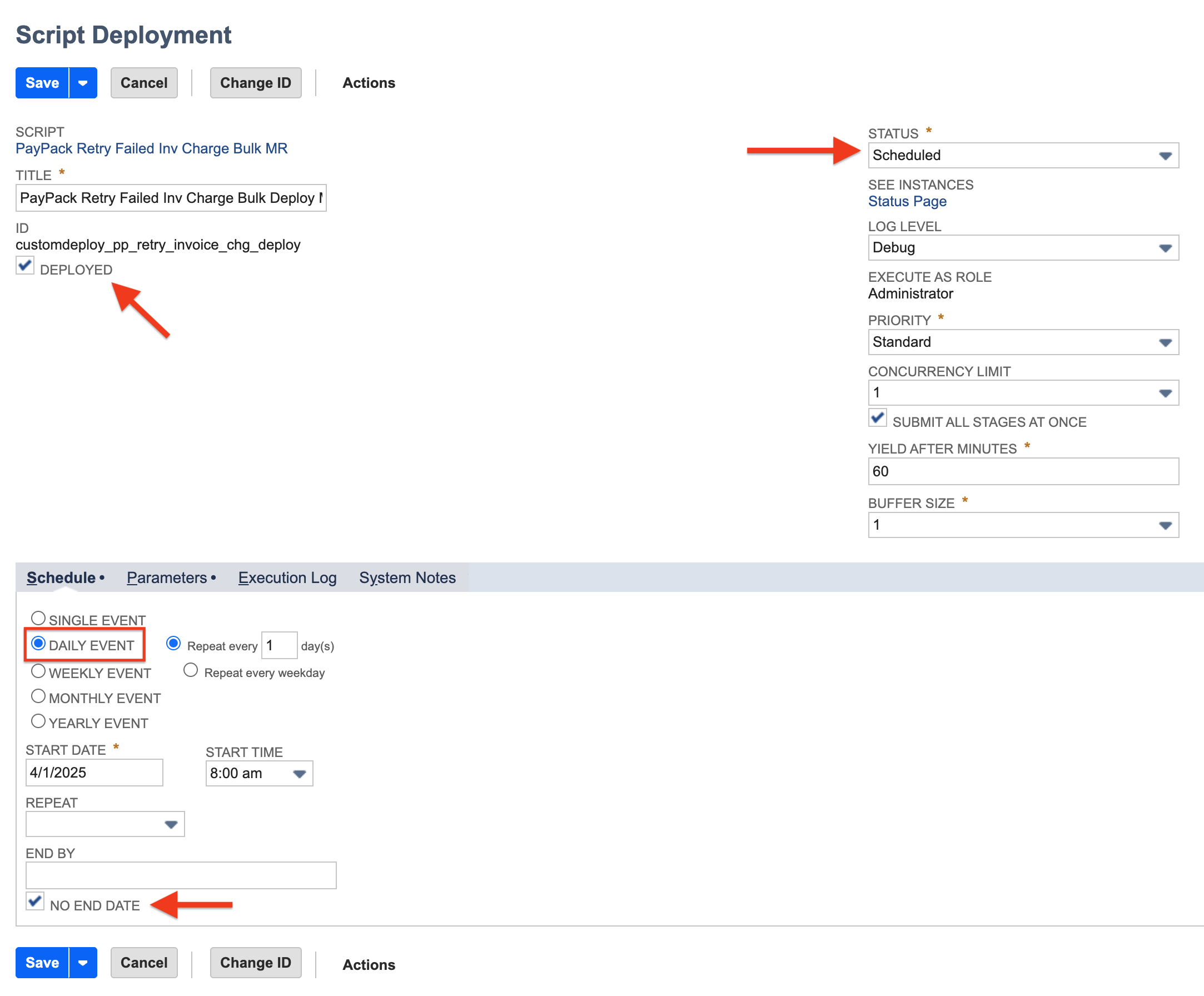
- Click on Edit to set the schedule.
- On the Edit page, go to the Schedule tab and select the event that works for you.
- Select the Scheduled status from the Status drop-down.
- And finally, click on the Save button to save the info and the script will run based on the event that is selected.
Multiple Stripe Accounts
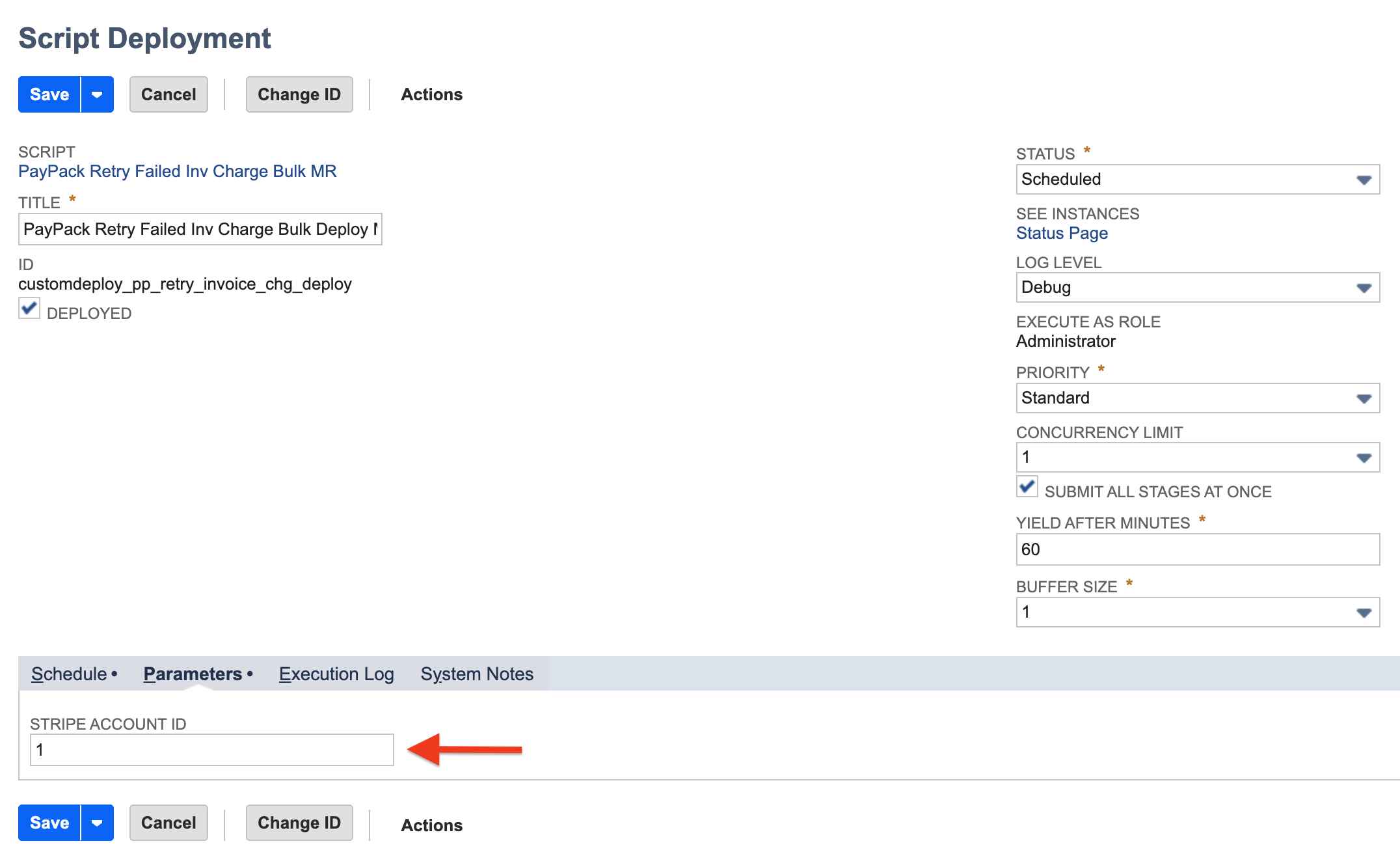
For multiple PayPack configurations, insert the corresponding Stripe Account Id under the Parameters tab for each script deployment.